

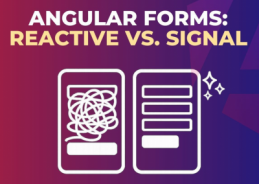
If you are new to Angular, forms are one of the first serious topics you’ll face: login pages, profile settings, checkout flows, admin dashboards… all are forms.
Historically, Angular developers relied on Reactive Forms because they are robust and scalable.
With newer Angular versions, Signals introduced a different reactivity model, and Angular is moving toward more signal-driven APIs, including forms-related patterns.
So this is not only “new syntax vs old syntax.”
It is mostly a shift from:
- Stream/event thinking (Reactive Forms + RxJS) to
- State/signal thinking (Signal-based forms)
Conceptual difference
Reactive Forms (classic)
- Uses
FormGroup,FormControl, validators. - Tracks changes with observables like
valueChanges,statusChanges. - You often subscribe to streams and manage subscriptions.
- Great for complex enterprise forms and dynamic behaviors.
Signal-based forms (new direction)
- Uses Angular Signals (
signal,computed,effect) as primary reactive units. - You read values directly as state and derive state declaratively.
- Fewer manual subscriptions in many scenarios.
- Usually cleaner for simple-to-medium forms.
Because Angular’s signal-form ecosystem is still evolving (official APIs and community implementations may vary by version), exact APIs can differ depending on:
- Angular version
- package/library used
- RFC/proposal stage vs stable release
So when you see examples online like signalForm(...), verify against your exact Angular version and official docs.
Reactive Forms — detailed beginner example
Let’s build a small Register Form with:
name(required, min length 3)email(required, email format)age(optional, min 18)
import { Component, OnDestroy, OnInit } from '@angular/core';
import { FormBuilder, Validators, FormGroup } from '@angular/forms';
import { Subject, takeUntil } from 'rxjs';

@Component({
  selector: 'app-register-reactive',
  templateUrl: './register-reactive.component.html'
})
export class RegisterReactiveComponent implements OnInit, OnDestroy {
  form!: FormGroup;
  private destroy$ = new Subject<void>();

  constructor(private fb: FormBuilder) {}

  ngOnInit(): void {
    this.form = this.fb.group({
      name: ['', [Validators.required, Validators.minLength(3)]],
      email: ['', [Validators.required, Validators.email]],
      age: [null, [Validators.min(18)]]
    });

    // Example: track value changes
    this.form.valueChanges
      .pipe(takeUntil(this.destroy$))
      .subscribe(value => {
        console.log('Form changed:', value);
      });
  }

  submit(): void {
    if (this.form.invalid) {
      this.form.markAllAsTouched();
      return;
    }

    console.log('Submitted value:', this.form.value);
  }

  ngOnDestroy(): void {
    this.destroy$.next();
    this.destroy$.complete();
  }
}
### Template


<form [formGroup]="form" (ngSubmit)="submit()">
  <label>
    Name
    <input type="text" formControlName="name" />
  </label>
  <div *ngIf="form.get('name')?.touched && form.get('name')?.invalid">
    <small *ngIf="form.get('name')?.errors?.['required']">Name is required.</small>
    <small *ngIf="form.get('name')?.errors?.['minlength']">Min length is 3.</small>
  </div>

  <label>
    Email
    <input type="email" formControlName="email" />
  </label>
  <div *ngIf="form.get('email')?.touched && form.get('email')?.invalid">
    <small *ngIf="form.get('email')?.errors?.['required']">Email is required.</small>
    <small *ngIf="form.get('email')?.errors?.['email']">Invalid email format.</small>
  </div>

  <label>
    Age
    <input type="number" formControlName="age" />
  </label>
  <div *ngIf="form.get('age')?.touched && form.get('age')?.invalid">
    <small *ngIf="form.get('age')?.errors?.['min']">Minimum age is 18.</small>
  </div>

  <button type="submit" [disabled]="form.invalid">Register</button>
</form>
- Validation is explicit and powerful.
- You can inspect control state (
touched,dirty,invalid). - You often write more boilerplate.
- In advanced use-cases, RxJS gives excellent control.
Signal-style form example (conceptual but practical)
import { Component, computed, signal } from '@angular/core';

type RegisterValue = {
  name: string;
  email: string;
  age: number | null;
};

@Component({
  selector: 'app-register-signal',
  templateUrl: './register-signal.component.html'
})
export class RegisterSignalComponent {
  // State
  name = signal('');
  email = signal('');
  age = signal<number | null>(null);

  // Touched state
  touched = signal({
    name: false,
    email: false,
    age: false
  });

  // Validation as derived state
  nameErrors = computed(() => {
    const errors: string[] = [];
    if (!this.name().trim()) errors.push('Name is required.');
    if (this.name().trim().length > 0 && this.name().trim().length < 3) {
      errors.push('Min length is 3.');
    }
    return errors;
  });

  emailErrors = computed(() => {
    const errors: string[] = [];
    const value = this.email().trim();
    if (!value) errors.push('Email is required.');
    // Basic email check for demo
    if (value && !/^[^\s@]+@[^\s@]+\.[^\s@]+$/.test(value)) {
      errors.push('Invalid email format.');
    }
    return errors;
  });

  ageErrors = computed(() => {
    const errors: string[] = [];
    const value = this.age();
    if (value !== null && value < 18) errors.push('Minimum age is 18.');
    return errors;
  });

  formValid = computed(() => {
    return (
      this.nameErrors().length === 0 &&
      this.emailErrors().length === 0 &&
      this.ageErrors().length === 0
    );
  });

  value = computed<RegisterValue>(() => ({
    name: this.name(),
    email: this.email(),
    age: this.age()
  }));

  markTouched(field: 'name' | 'email' | 'age') {
    this.touched.update(t => ({ ...t, [field]: true }));
  }

  submit() {
    // mark all touched
    this.touched.set({ name: true, email: true, age: true });

    if (!this.formValid()) return;

    console.log('Submitted value:', this.value());
  }
}
### Template


<form (ngSubmit)="submit()">
  <label>
    Name
    <input
      type="text"
      [value]="name()"
      (input)="name.set($any($event.target).value)"
      (blur)="markTouched('name')"
    />
  </label>
  <div *ngIf="touched().name && nameErrors().length">
    <small *ngFor="let err of nameErrors()">{{ err }}</small>
  </div>

  <label>
    Email
    <input
      type="email"
      [value]="email()"
      (input)="email.set($any($event.target).value)"
      (blur)="markTouched('email')"
    />
  </label>
  <div *ngIf="touched().email && emailErrors().length">
    <small *ngFor="let err of emailErrors()">{{ err }}</small>
  </div>

  <label>
    Age
    <input
      type="number"
      [value]="age() ?? ''"
      (input)="age.set($any($event.target).value ? +$any($event.target).value : null)"
      (blur)="markTouched('age')"
    />
  </label>
  <div *ngIf="touched().age && ageErrors().length">
    <small *ngFor="let err of ageErrors()">{{ err }}</small>
  </div>

  <button type="submit" [disabled]="!formValid()">Register</button>
</form>
- Form state is plain, local, and explicit.
- Validation is derived via
computed. - Minimal subscription management.
- Very readable for many use-cases.
Side-by-side: mindset shift
| Aspect | Reactive Forms | Signal-style Forms |
|---|---|---|
| Core model | Streams (RxJS) | State (Signals) |
| Change tracking | valueChanges / subscriptions | direct reads + computed |
| Boilerplate | Medium to high | Often lower (for simple forms) |
| Advanced async workflows | Excellent with RxJS | Possible, but patterns differ |
| Legacy ecosystem | Very mature | Growing/evolving |
| Best for | Complex enterprise + existing apps | New apps, simpler mental model, signal-first architecture |
When should you choose which?
Use Reactive Forms when:
- You work on an existing large app already built with Reactive Forms.
- You need advanced RxJS composition (complex async validation/data flows).
- Your team is highly comfortable with observable pipelines.
Use Signal-based forms when:
- You are starting a newer Angular app and want signal-first architecture.
- Your forms are simple to moderately complex.
- You want more direct, state-oriented code and less subscription ceremony.
Hybrid strategy (very realistic)
Many teams will use both for some time:
- Keep existing modules on Reactive Forms.
- Build new, isolated modules with signal-first patterns.
- Migrate gradually only where it adds real value.
Final take
For newcomers, Reactive Forms are still essential knowledge because they dominate many real-world codebases.
At the same time, learning signal-driven form patterns gives you a forward-looking advantage as Angular evolves.
If you remember one sentence, remember this:
The biggest difference is not API syntax — it is reactive mindset:
event streams vs state derivation.